Do you know that systems administrators and cybersecurity specialists are not using the default terminal to make their tasks easier?
Introduction
Terminal is the text based program that is used for writing commands, and it provide text based output. It can be used to write simple or complex commands.
With the default terminal, you get the basic functionalities, you can write commands and see the output, and you can also create tabs, of which you can see the contents of one tab at a time. Alternatively, you can start a new session in a new window.
Once you finish reading this short article, you will have an alternative solution to the default Terminal. You will be able to split the terminal and have multiple sessions running at the same time.
Prerequisites
I have been using Ubuntu for quite some time. The default Terminal looked fine with me until I tried the alternatives. The main functionality that I liked, which the Terminal could not provide, is the ability to split it into multiple screens. Each screen can have a different session.
Below are free alternative applications that you can use.
1. Tilix
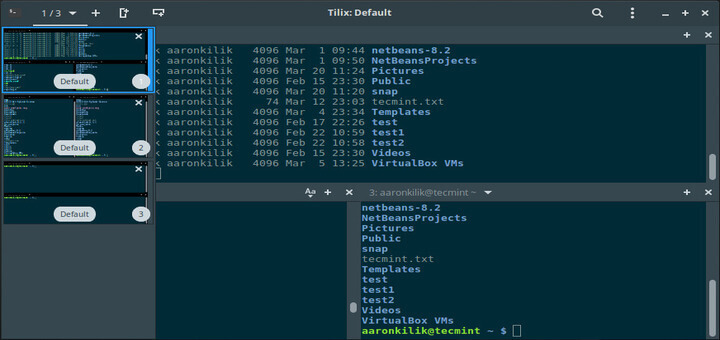
With Tilix you can separate the screen horizonally and vertically as yoiu with. You can have multiple sessions running at the same time.
Install Tilix in Ubuntu
$sudo apt install tilix -yTo open Tilix, type tilix in the terminal
$tilix2. Konsole
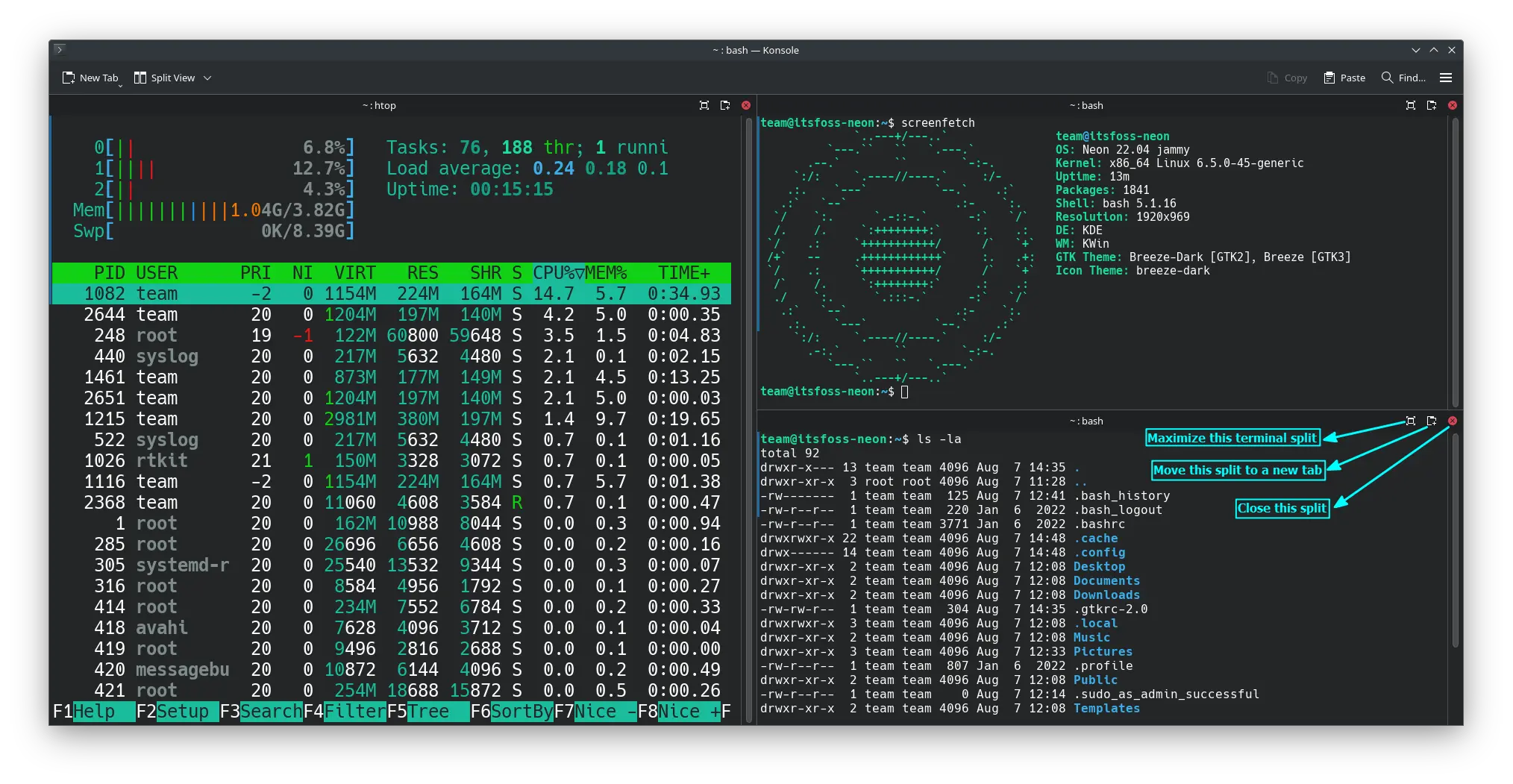
Konsole is one of the best terminals that I use a lot in my work. It provides the feature of splitting the screen both horizontally and vertically.
How to install Konsole in Debian based Linux
$sudo apt install konsoleTo open Konsole, type konsole in the terminal
$konsoleConclusion
Your productivity depends on the tools you're using. Try using Tilix and Konsole instead of the basic Console. They will save you time.
No more moving between windows to get to the next session of what yoiur doing, use the right tool for the job. Tilix and Konsole will do the job better than the Console.
Let me know in the comments if there is any other Terminal program that you're using.